
-
SAMSUNG - Technical Support
-
SAMSUNG - Online Video
-
SAMSUNG - INTERNAL - Technical Support
- Support Team Call Flow
- Door Lock SHP-A30
- Door Lock - SHP-DP609
- Door Lock - SHP-DR708
- Door Lock - SHP-DP728
- Door Lock - SHP-DP727
- Door Lock - SHS-P718
- Door Lock - SHS-P717
- Door Lock - SHP-DH538
- Door Lock - SHP-DH537
- Door Lock - SHS-3321
- Door Lock - SHP-DS510
- Door Lock - SHP-DS705 (SHS-D607)
- Door Lock - SHS-H505
- Door Lock - SHS-H705
- Door Lock SHS-7020
- Door Lock - KL-100B & KL-100S (Keyless key)
- General Miscellaneous
- Accessory/ Lock Parts
- CCTV
- HubSpot
- Work Order Process
-
INTERNAL - Logistics
-
INTERNAL - Documents
-
INTERNAL - Product and Merchandising Manager - SOP
JBHiFi Returns
How to handle JBHiFi returns
1- JBHiFi sends us an email from jbrlclaims@ticgroup.com.au <jbrlclaims@ticgroup.com.au> with the BL number of the returns similar to Bunnings . A link is also in this email which leads to a form to be filled by DDL . this form is as belows .
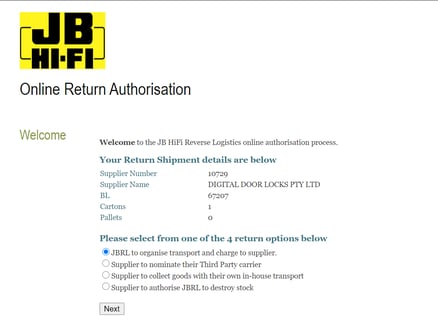
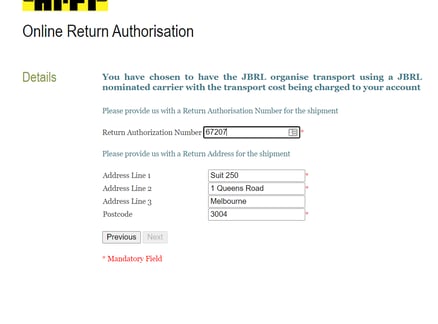
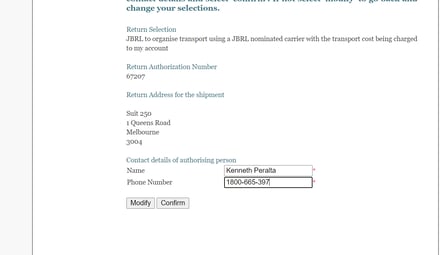
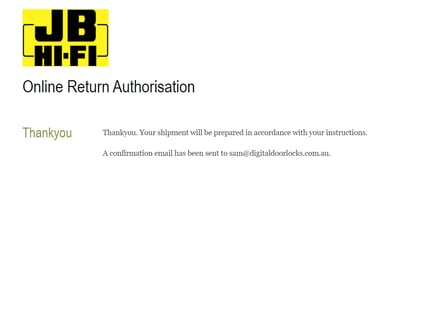
2- Once email is received from JB , a ticket is to be opened under "Refunds Pipeline" in order to handle the returns similar to the returns from Bunnings .
3- Ticket then is moved in the different stages of the "Refund"Pipeline till its "Completed"